

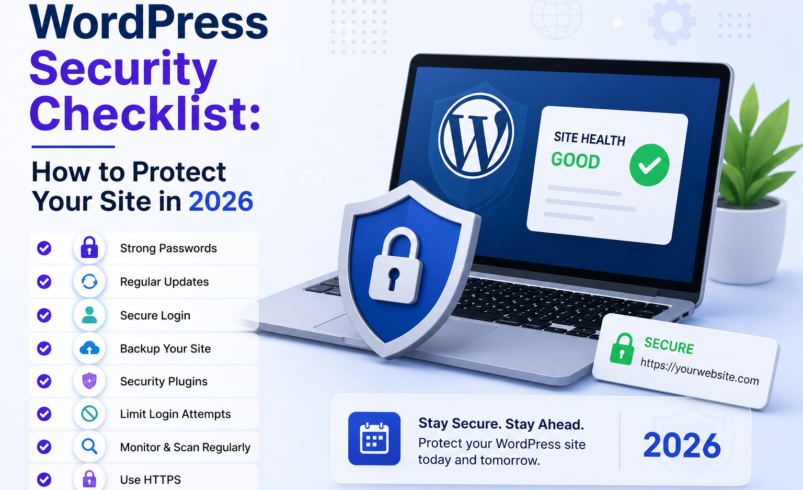

WordPress powers over 40% of all websites on the internet — which makes it the single biggest target for hackers, bots, and malicious actors. Its popularity is its strength and its weakness.
The good news? WordPress is perfectly safe when configured correctly. The bad news? Most WordPress site owners skip the basics and leave gaping security holes they don’t even know about.
This checklist will walk you through everything you need to do to lock down your WordPress site in 2025 — from quick wins you can do in 5 minutes to more robust protections that every serious website owner should have in place.
✅ 1. Keep WordPress Core, Themes & Plugins Updated
Outdated software is the #1 cause of WordPress hacks. Every update patches vulnerabilities — skipping updates is like leaving your front door unlocked. Enable automatic updates for minor releases, and check manually for major updates at least once a week.
Tip: Deactivate and delete plugins you’re not using. Abandoned plugins are a common entry point for hackers.
✅ 2. Use Strong, Unique Passwords for Every Account
Brute force attacks target weak passwords like ‘admin123’ or your business name. Use a password manager to generate strong, unique credentials for your WordPress admin, hosting account, FTP, and database. Never reuse passwords across platforms.
✅ 3. Change the Default Admin Username
If your WordPress admin username is literally ‘admin’, change it right now. This is the first username attackers try in brute force attacks. Create a new administrator account with a unique username and delete the default ‘admin’ user.
✅ 4. Enable Two-Factor Authentication (2FA)
Even if a hacker gets your password, 2FA adds a second layer that stops them from getting in. Use a plugin like WP 2FA or Google Authenticator and enable it for all administrator accounts.
✅ 5. Install a Security Plugin
A good WordPress security plugin can handle malware scanning, login protection, file integrity monitoring, and firewall rules. Popular options include Wordfence and iThemes Security. However, for the most comprehensive protection — especially malware removal and a cloud-based web application firewall — dedicated website security services go further.
✅ 6. Use a Web Application Firewall (WAF)
A WAF sits between your website and incoming traffic, filtering out malicious requests before they even reach your server. This is one of the most effective ways to block SQL injections, XSS attacks, brute force attempts, and DDoS floods.
Sucuri’s cloud-based WAF is purpose-built for exactly this. It’s one of the most trusted WAFs for WordPress sites, and it works at the DNS level — meaning attacks are blocked before reaching your hosting server. Learn more about Sucuri’s WAF here.
✅ 7. Limit Login Attempts
By default, WordPress allows unlimited login attempts — which makes brute force attacks trivial. Install a plugin like Limit Login Attempts Reloaded or use your security plugin’s lockout feature to block IPs after a certain number of failed attempts.
✅ 8. Move wp-admin to a Custom URL
The default WordPress login page is yoursite.com/wp-admin — every bot on the internet knows this. Moving your login to a custom URL (like yoursite.com/your-secret-login) dramatically reduces automated attack attempts.
✅ 9. Set Up SSL (HTTPS)
If your site still runs on HTTP, get an SSL certificate today — it’s free via Let’s Encrypt and most hosting providers offer one-click installation. HTTPS encrypts data between your site and visitors, is required for trust, and is a Google ranking factor.
✅ 10. Enable Regular Backups
Backups don’t prevent hacks, but they’re your safety net when one happens. Set up automated daily backups and store them offsite (not just on your server). Plugins like UpdraftPlus or your hosting provider’s backup tool make this easy.
✅ 11. Monitor for Malware and Blacklisting
Even with all the above in place, it’s important to actively monitor your site for signs of compromise. You should know immediately if Google, McAfee, or Norton has blacklisted your domain — because every minute your site is flagged, you’re losing customers.
Sucuri provides 24/7 malware monitoring, blacklist alerts, and security notifications — so you’re always the first to know if something’s wrong. Their team of security analysts is on hand to help clean up any infection, fast.
The Bottom Line
WordPress security isn’t a one-time task — it’s an ongoing practice. By working through this checklist, you’ll eliminate the vast majority of risks that lead to hacked sites, blacklisting, and lost revenue.
But if you want the peace of mind that comes from knowing professionals have your back, a dedicated security service is the smartest investment you can make for your website.
🛡️ Protect your WordPress site today — get started with Sucuri and lock down your website before hackers find it.
A secure website is a successful website.