
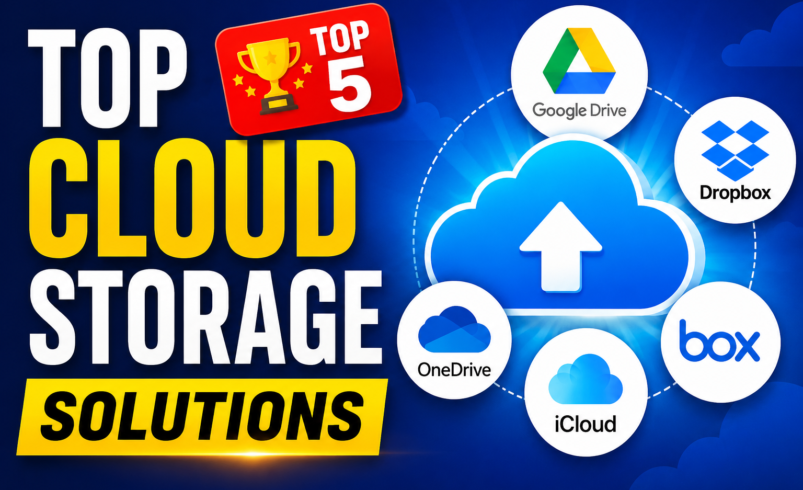

Top Cloud Storage Solutions
Free storage limits, real pricing, security features, and everyday usability — here's how the leading cloud storage services actually compare once you start uploading.
Disclosure: This page may contain affiliate links. If you sign up through one of these links, we may earn a small commission at no extra cost to you. Pricing and storage figures were checked in mid-2026 — always confirm current offers on the provider's website before purchasing.
Running out of storage always seems to happen at the worst possible moment — right before a big upload, a phone backup, or a client deadline. This guide rounds up the top cloud storage solutions worth considering right now, comparing free storage limits, pricing tiers, security features, and the day-to-day usability that matters once the novelty wears off. Whether you need a simple home for family photos, a syncing system for a small team, or long-term backups with zero-knowledge encryption, one of the seven services below should fit.
Top Cloud Storage Solutions at a Glance
Here's a quick side-by-side look before you dive into the full reviews below.
| Service | Free Storage | Starting Price | Best For | Score | Link |
|---|---|---|---|---|---|
| pCloud | Up to 10GB | One-time from ~$199 | Lifetime storage | 9.4 | Visit pCloud |
| Google Drive | 15GB | From $1.99/mo | Collaboration | 9.2 | Visit Google Drive |
| IDrive | 10GB | From ~$3.98/yr (promo) | Storage value & backup | 9.0 | Visit IDrive |
| Dropbox | 2GB | From $11.99/mo | File syncing | 8.8 | Visit Dropbox |
| OneDrive | 5GB | From $1.99/mo | Microsoft 365 users | 8.7 | Visit OneDrive |
| Sync.com | 5GB | From $4.17/mo | Zero-knowledge privacy | 8.6 | Visit Sync.com |
| iCloud+ | 5GB | From $0.99/mo | Apple ecosystem | 8.5 | Visit iCloud |
In-Depth Reviews of the Top Cloud Storage Solutions
Each pick below is scored out of 10 based on free storage, pricing, security, app quality, and overall value.
pCloud — Best Overall
Lifetime plans, a built-in media player, and optional Swiss-grade encryption.
- One-time lifetime payment options (500GB–10TB) with no recurring fees
- Built-in audio and video player streams files directly from your cloud
- Optional Crypto Folder adds client-side, zero-knowledge encryption
- Apps for Windows, macOS, Linux, iOS and Android, plus a virtual drive
Pros
- Lifetime pricing can save money for years
- Generous free tier with bonus space offers
Cons
- Crypto Folder costs extra each month
- Lifetime plans need a larger upfront payment
Google Drive — Best for Collaboration
The default choice for anyone already living inside Docs, Sheets and Gmail.
- Real-time collaborative editing in Docs, Sheets and Slides
- Smart search finds files by content, not just by filename
- Shared drives with granular permission controls for teams
- Tight integration with Gmail, Photos and Android devices
Pros
- Most generous free tier among major providers
- Familiar interface with almost no learning curve
Cons
- No end-to-end encryption by default
- Storage is shared across Gmail and Photos
IDrive — Best Value
Enormous storage allowances at prices that undercut almost everyone else.
- Plans scale up to 100TB for business accounts
- True backup tools: full-disk imaging, server backup, unlimited devices on one plan
- Physical data-shipping option for very large first backups
- Continuous data protection with 30 days of file version history
Pros
- Best price-per-gigabyte on the market
- One plan covers unlimited devices
Cons
- Interface feels less polished than rivals
- Backup-first design takes some adjustment
Dropbox — Best for File Syncing
The original sync-and-share tool, still the smoothest for cross-device workflows.
- Smart Sync keeps files visible without using local disk space
- Dropbox Paper for collaborative notes and project docs
- Advanced sharing controls, including watermarking and link expiry
- Deep integrations with Slack, Zoom and Adobe apps
Pros
- Fastest, most reliable sync engine
- Excellent third-party app integrations
Cons
- Small free tier compared to rivals
- Higher cost per GB than budget options
OneDrive — Best for Microsoft 365
Built into Windows and bundled with the Office apps most people already pay for.
- Native File Explorer integration with Files On-Demand
- 1TB+ storage bundled with Microsoft 365 Personal and Family
- Personal Vault adds extra identity verification for sensitive files
- Real-time co-authoring across Word, Excel and PowerPoint
Pros
- Excellent value if you already pay for Microsoft 365
- Tight integration with Windows
Cons
- Smaller standalone free tier
- Mac and mobile apps lag behind the Windows experience
Sync.com — Best for Privacy
Zero-knowledge encryption on every plan, including the free one.
- End-to-end, zero-knowledge encryption applied automatically to every file
- Granular sharing permissions with passwords and expiry dates on every plan
- One-way vault folders for secure offline backups
- Detailed version history with ransomware-style recovery tools
Pros
- Privacy features that cost extra elsewhere are included free
- Transparent, no-surprises pricing
Cons
- No built-in document editing suite
- Sync speeds can lag behind Dropbox on large files
iCloud+ — Best for Apple Devices
The quiet backbone of every iPhone, iPad and Mac, now with extra privacy perks.
- Automatic backup for iPhone, iPad and Mac with no setup required
- Private Relay and Hide My Email included on paid iCloud+ tiers
- Shared family storage plans split across up to six people
- Optional Advanced Data Protection adds end-to-end encryption
Pros
- Invisible, automatic backups across Apple devices
- Family sharing plans are excellent value
Cons
- Tiny free tier fills up fast with device backups
- Limited usefulness on Windows or Android
How We Picked These Top Cloud Storage Solutions
Every list like this involves trade-offs, so here's exactly what we weighed for each service:
- Security & encryption — whether files are protected at rest and in transit, and whether the provider itself can access your data.
- Free tier generosity — how much usable space you get before paying anything.
- Pricing transparency — clear per-GB costs without hidden tiers or surprise renewal jumps.
- Cross-platform support — dedicated apps for Windows, macOS, iOS, Android and Linux where relevant.
- Everyday usability — sync speed, search, sharing controls, and how the service behaves once it's full of real files.
Frequently Asked Questions
Which of the top cloud storage solutions offers the most free space?
Google Drive currently leads with 15GB of free storage shared across Drive, Gmail and Photos. pCloud and IDrive both offer 10GB free plans, often with bonus space for completing setup tasks like installing the desktop app or referring friends.
Which cloud storage service is the most secure?
Sync.com and pCloud (with its optional Crypto Folder) both offer zero-knowledge encryption, meaning even the provider can't read your files. Apple users can get similar protection by enabling Advanced Data Protection in iCloud+.
Can I move files between providers later if I change my mind?
Yes. Most services support exporting through their desktop sync clients, and third-party tools can transfer large libraries directly between providers without downloading everything to a local drive first.
Are lifetime cloud storage plans actually worth it?
If you're confident you'll use the service for several years, a lifetime plan from a provider like pCloud can work out far cheaper than an equivalent monthly subscription. The trade-off is a larger upfront cost and the risk that terms could change down the line.
Final Thoughts on the Top Cloud Storage Solutions
There's no single winner that fits everyone — the right pick depends on your devices, how much you're storing, and how much you care about who can technically access your files. Want an all-around favorite with long-term savings? Start with pCloud. Already living in Google's ecosystem? Drive removes the most friction. Privacy non-negotiable? Sync.com builds it in from day one.
Compare Plans & Get Started →