






Free Lead Generation Plugin for WordPress: Why Gracewell LeadForge Is Worth the Install
Chances are, if you're running a WordPress site, you've already searched for a free lead generation plugin for WordPress at least once. And chances are, what you found was either underwhelming or came with a "free trial" attached rather than an actual free plan.
That's the frustrating part. Most tools marketed as free end up gating the features you actually need — CSV exports, notifications, custom fields — behind a monthly fee. Thankfully, that's not the whole story. Gracewell LeadForge takes a different approach, and this post walks through why it's earned a place on plenty of WordPress sites without costing a single rupee.
The Problem With Most "Free" Popup Plugins
Before getting into what makes LeadForge worth trying, it helps to understand why so many alternatives disappoint people in the first place. Here's what usually goes wrong:
- The free tier is bare-bones: Useful features like exports or notifications often sit behind a $9–$39/month upgrade.
- They drag your site down: Heavy, unoptimized scripts hurt your load times and, in turn, your search rankings.
- Mobile users get pushed away: A popup that swallows the whole screen on a phone is a fast way to lose a visitor.
- Setup eats your afternoon: Endless templates and trigger settings, when all you wanted was one clean popup.
- Your leads travel elsewhere: Several plugins quietly send captured data through external servers.
- Managing leads is an afterthought: Capturing an email means little if there's no easy way to view or export the list.
Once you add all that up, it's no surprise so many people give up on popups altogether. Gracewell LeadForge was built specifically to avoid these traps, and if you'd like a closer, standalone look at it as a popup tool, this write-up on the best WordPress popup plugin, Gracewell LeadForge covers that angle in more depth.
Meet Gracewell LeadForge
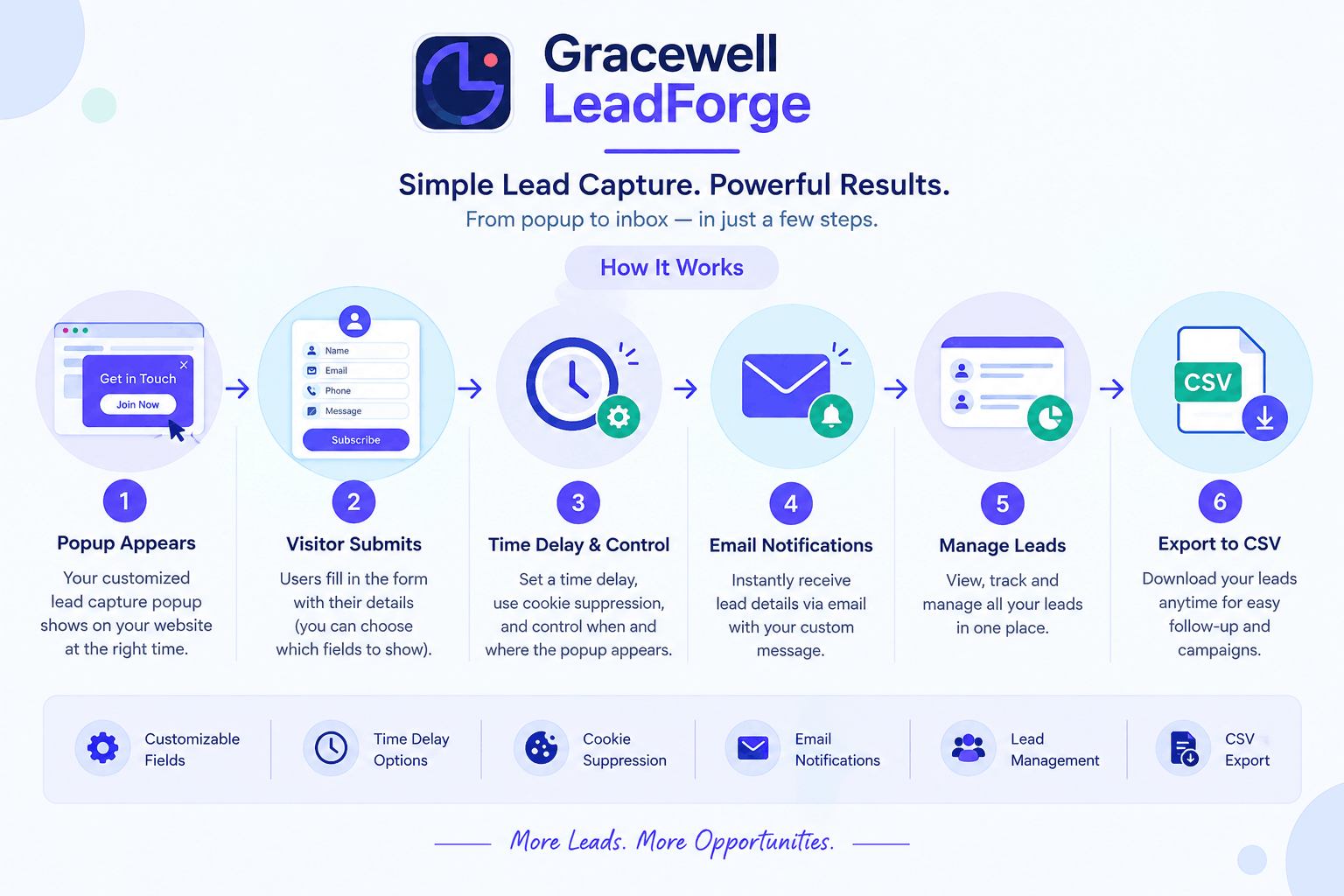
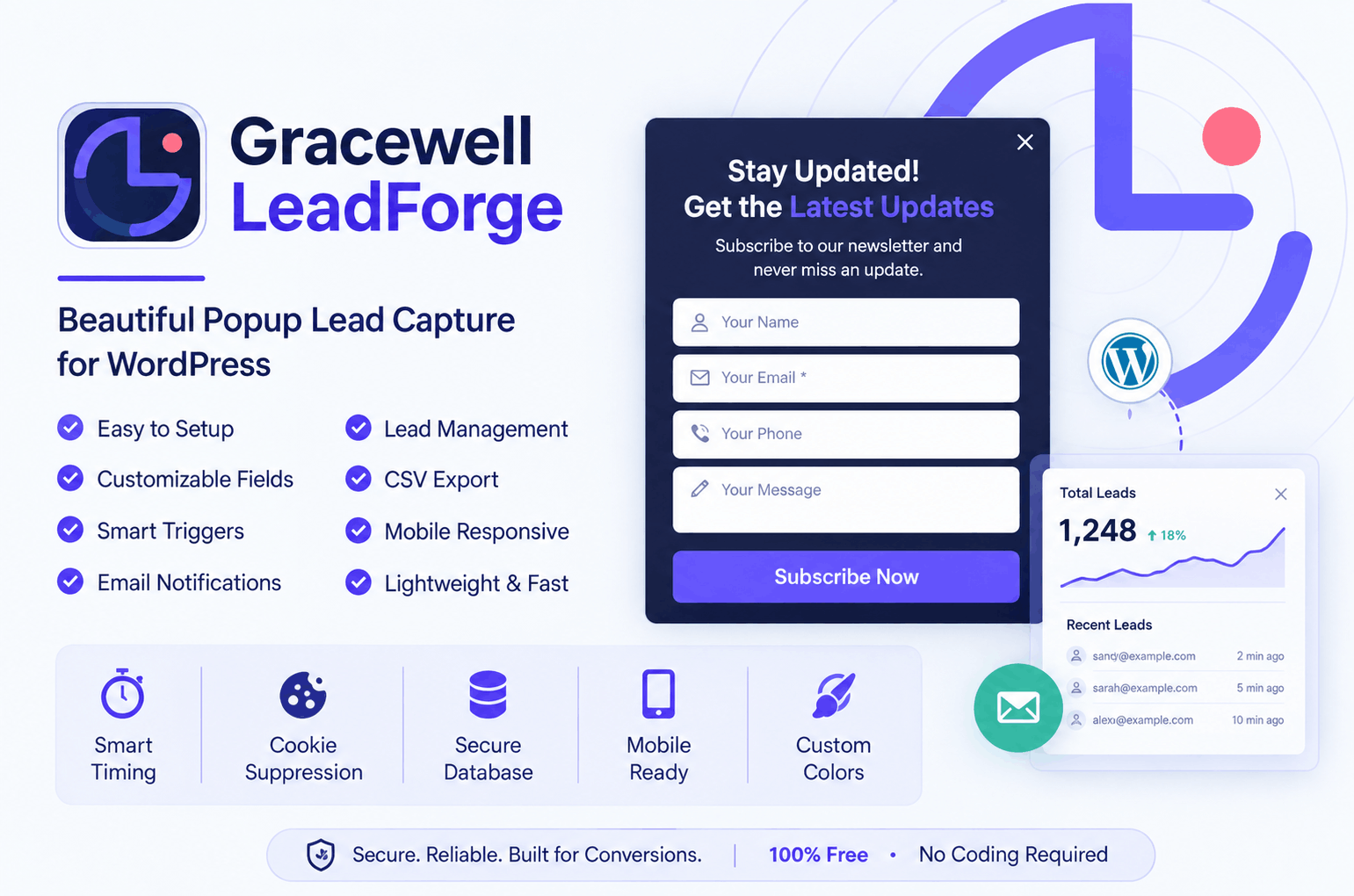
Gracewell LeadForge is a free, lightweight plugin for WordPress that focuses on one job: capturing leads well, without weighing your site down or annoying your visitors. Rather than trying to be a full marketing suite, it sticks to showing a timely, well-designed popup and collecting exactly the details you need.
Every submission lands directly inside your WordPress database. From there, you'll get an instant email the moment a new lead comes in, and you can export the entire list to CSV whenever it's useful — no code required, and no separate login to remember.
It's built by the team at Gracewell around a fairly simple belief: a small business owner or independent blogger shouldn't need a marketing budget just to start collecting leads the right way.
Why It Stands Out From the Crowd
With so many popup plugins already in the WordPress repository, it's fair to ask what actually sets this one apart. A few reasons:
Nothing Is Locked Away
Every core feature is part of the free plan — there's no "unlock this" prompt waiting down the line.
Kept Deliberately Light
No unnecessary scripts dragging down your load speed or Core Web Vitals scores.
Your Data Stays With You
Leads are saved right inside your own WordPress database — nothing routed off to another server.
Ready in a Few Minutes
Install, activate, adjust your headline and colors, and the popup is live — no developer needed.
Works Across Every Device
Fully responsive by default, so it holds up cleanly whether someone's on a laptop or a phone.
Everything You Get, Free
Here's what comes standard the moment you activate the plugin — none of it reserved for a paid tier:
Fast, Guided Setup
Configure everything from a simple settings screen inside WordPress — no page builder needed.
Adjustable Form Fields
Switch Name, Phone, and Message fields on or off based on what your business needs to know.
Time Delay Trigger
Have the popup appear only after visitors have spent a bit of time on the page, which lifts conversions.
Cookie Suppression
Once a visitor closes or submits the form, the popup won't reappear and pester them again.
Real-Time Email Alerts
Every new submission triggers an instant notification, so you're never left checking manually.
Organized Lead Dashboard
Names, emails, numbers, messages, and timestamps, all in one clear WordPress admin screen.
CSV Export in One Click
Pull your full lead list into any CRM or email tool without any manual copy-pasting.
Mobile-Ready Out of the Box
The layout adjusts cleanly across desktop, tablet, and mobile with zero extra setup.
Brand Color Matching
Adjust the popup's colors straight from the settings page so it fits your site's look.
Polished by Default
A clean, modern design from the moment it's activated — no designer or custom CSS required.
Who Gets the Most Out of It
Because it's simple rather than niche, this plugin fits comfortably across quite a range of sites. For instance:
🏢 Small Businesses
Collect quote requests and service inquiries directly from your site, no separate CRM required.
✍️ Bloggers
Grow a newsletter list by reaching your most engaged readers at exactly the right moment.
🛠️ Freelancers & Consultants
Gather detailed project inquiries using the Name, Phone, and Message fields together.
🛒 E-Commerce Stores
Build an email list ahead of promotions or sales without adding another paid tool.
📈 Marketing Agencies
Deploy it quickly across several client sites, then rely on CSV exports for reporting.
How It Compares
Rather than just taking our word for it, here's an honest comparison against three of the more popular popup and lead-capture plugins on the market:
| Feature | Gracewell LeadForge (Free) | OptinMonster (Paid) | Popup Maker (Freemium) | Sumo (Freemium) |
|---|---|---|---|---|
| Cost | 100% Free | From $9/mo | Free + Paid Add-ons | Free + $39/mo Pro |
| Time Delay Trigger | ✓ Yes | ✓ Yes | ✓ Yes | ✓ Yes |
| Cookie Suppression | ✓ Yes | ✓ Yes | Paid Only | ✓ Yes |
| Lead Database | ✓ Yes (WP DB) | ✗ 3rd Party | Paid Only | ✗ No |
| CSV Export | ✓ Yes | Paid Only | Paid Only | ✓ Yes |
| Email Notifications | ✓ Yes | ✓ Yes | Paid Only | Paid Only |
| Mobile Responsive | ✓ Yes | ✓ Yes | ✓ Yes | ✓ Yes |
| Custom Form Fields | ✓ Yes | ✓ Yes | Paid Only | Limited |
| Data Stored Locally | ✓ Yes | ✗ No | ✗ No | ✗ No |
| No Third-Party Sharing | ✓ Yes | ✗ No | ✗ No | ✗ No |
| Setup Time | Under 5 Minutes | 30–60 Minutes | 15–30 Minutes | 15–30 Minutes |
Laid out this way, the pattern is hard to miss — on cost, privacy, and setup time, Gracewell LeadForge holds its own against tools that charge a monthly fee for the same basics.
Your Data, Handled Properly
Privacy wasn't bolted on after the fact here — it shaped how the plugin was built from day one.
-
🔒
Kept Local and SecureLeads are stored inside your own WordPress database, the same place that already runs the rest of your site.
-
👤
Restricted to AdminsOnly authenticated site administrators can view lead data — there's no exposure on the front end.
-
🚫
Never Shared ExternallyUnlike a number of competing tools, nothing gets synced off to a third-party server.
-
🏆
Full OwnershipExport it, delete it, or move it wherever you like — the data is entirely under your control.
-
🛡️
Built With Privacy in MindA good fit for privacy-sensitive industries or anywhere data sovereignty genuinely matters.
✅ Quick Recap
- Gracewell LeadForge is entirely free, with no hidden tiers or locked-away features.
- Time-delay triggers, cookie suppression, flexible fields, and mobile-first design all come standard.
- Every lead stays in your WordPress database — none of it is shared with outside parties.
- Email alerts and one-click CSV export make following up straightforward.
- You can have it running in under 5 minutes, with no coding involved.
- Suits small businesses, bloggers, freelancers, stores, and agencies equally well.
- Matches or beats paid alternatives on privacy, data storage, and overall cost.
Get Gracewell LeadForge Free
Start collecting leads today with a plugin that installs in minutes and costs nothing. No card required, no subscription, no catch.
⬇ Download NowFrequently Asked Questions
Is Gracewell LeadForge actually free to use?
How do I get it installed?
Where do captured leads actually go?
Can I control which fields appear on the form?
Is the popup mobile-friendly?
What exactly does the time-delay trigger do?
How does cookie suppression help?
Can leads be exported for use elsewhere?
Want to Dig Deeper Into Lead Generation?
Explore more guides and comparisons on capturing and managing leads with WordPress.
🔗 Explore Lead Generation ResourcesFinal Thoughts
Finding a genuinely free lead generation plugin for WordPress shouldn't feel like a scavenger hunt through upsell screens. Gracewell LeadForge proves it's possible to get something fast, private, and fully functional without paying for any of it.
Where other tools charge for basics like exports or a proper dashboard, this plugin bundles it all in for free, and your data never leaves your own WordPress install as a result.
Whether you're building an email list as a blogger, chasing client inquiries as a freelancer, or rolling this out across multiple sites for clients, it's a low-risk, high-value pick. For a closer look at it purely as a popup solution, see our post on the best WordPress popup plugin, Gracewell LeadForge, and if you want to compare it against another free option, our review of the best free WordPress popup plugin for lead generation is worth a read too. There's also a dedicated breakdown on the popup plugin for WordPress if you'd like more angles before deciding.
So instead of losing potential leads to slow, overcomplicated tools, install Gracewell LeadForge, have it running in under 5 minutes, and start capturing them the simple way — completely free.
⬇ Download Gracewell LeadForge Free