

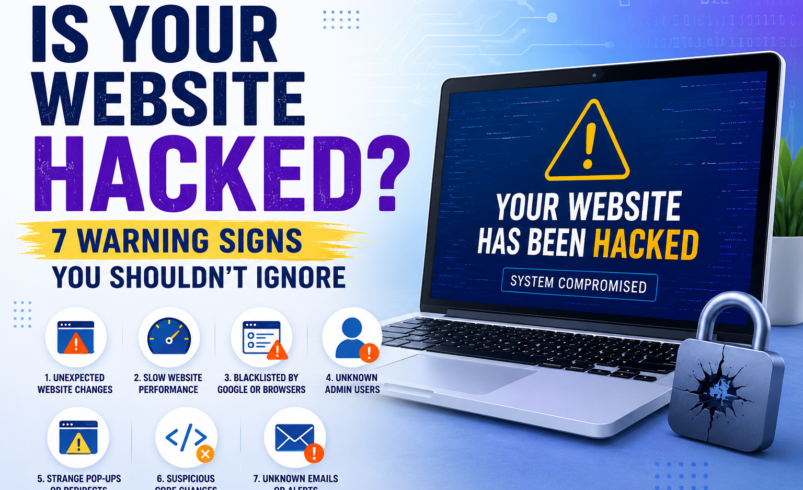

Your website seems to be running fine — but is it really? Hackers don’t always announce themselves. In fact, many website owners don’t realize they’ve been compromised until it’s too late: customers are gone, Google has blacklisted the site, and the damage to their reputation is already done.
The scary truth is that thousands of websites get hacked every single day — and most of them are small to medium-sized businesses that assumed they were too small to be targeted. Spoiler: you’re not.
Here are 7 warning signs that your website may have already been hacked — and what you should do about it.
1. Your Website Is Suddenly Slow or Unresponsive
A sudden, unexplained drop in your site’s speed can be a red flag. Hackers often install malware that uses your server’s resources to send spam emails, run crypto mining operations, or launch attacks on other websites. If your hosting provider hasn’t changed anything and your traffic hasn’t spiked, investigate further.
2. Google Shows a ‘This Site May Be Hacked’ Warning
If visitors see a red warning page from Google Chrome or a notice in Google Search results saying your site may be hacked or contain malware, take it extremely seriously. Google’s Safe Browsing system has flagged your site — and until it’s cleaned and re-reviewed, your traffic will plummet.
This is one of the most damaging signs, because most users won’t click through a security warning.
3. You’re Redirected to a Sketchy Website
Try visiting your homepage from a browser where you’re not logged in. If you get redirected to a pharmaceutical site, a foreign-language page, or something completely unrelated to your business — you’ve almost certainly been hacked. Hackers inject redirect scripts that often only fire for visitors who aren’t logged in (so the site owner never sees it).
4. New Admin Users or Files You Don’t Recognize
Log into your CMS (WordPress, Joomla, etc.) and check your user list. Seeing unfamiliar admin accounts? That’s a major red flag. Similarly, if your FTP file manager shows recently modified or added PHP files you didn’t create, hackers may have uploaded backdoors to maintain access.
5. Your Contact Form Is Sending Spam
Are customers complaining about receiving spam from your domain? Or is your email blacklisted? Hackers sometimes exploit contact forms and email functions on your server to send mass spam. This can tank your email deliverability and get your domain flagged.
6. Search Results Show Strange Content
Google your site name and look through the search results. Do any pages show titles or descriptions in another language, or reference products you don’t sell? This is called SEO spam or Japanese keyword hack — a common tactic where hackers inject foreign-language spam pages onto your site to boost their own rankings.
7. Your Web Host Has Suspended Your Account
Hosting providers monitor for malicious activity, and if they detect it on your account, they may suspend it without warning. If you suddenly can’t access your site or receive an email about a suspension, malware is a likely culprit.
What Should You Do If You Notice Any of These Signs?
First, don’t panic. But do act fast — every hour your site is compromised, you’re losing trust, traffic, and potentially customer data.
- Run a security scan immediately
- Change all passwords (CMS, FTP, hosting, database)
- Notify your hosting provider
- Request a malware removal service
- Submit your site for a Google review once cleaned
One of the fastest ways to scan, clean, and protect your website is with Sucuri — a leading website security platform trusted by businesses worldwide. Sucuri offers malware scanning, blacklist monitoring, and a powerful web application firewall (WAF) to stop attacks before they happen.
🔒 Don’t wait until it’s too late. Scan your website for free with Sucuri today and find out if your site has been compromised.
Your website is your business’s front door. Make sure it’s locked.