

Introduction
You’ve just landed in a foreign country. Your flight was long, your phone is buzzing with notifications, and all you need is a reliable internet connection to pull up your hotel address, message your family, or check your travel itinerary. But your home carrier is charging you $15 a day for international roaming — and the airport WiFi is slow, unreliable, and raises security concerns.
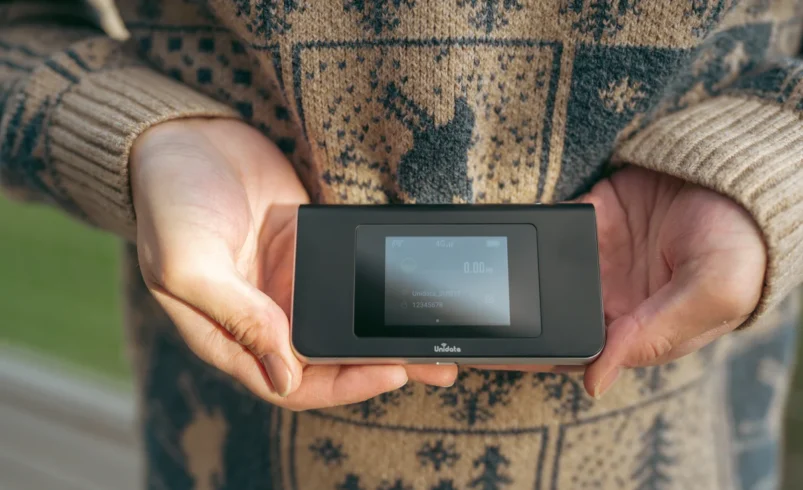
This is where a mobile WiFi hotspot comes in. A small, pocket-sized device (or a setting on your phone) that gives you fast, private, and affordable internet anywhere in the world.
But how exactly does it work? In this beginner’s guide, we’ll break down everything you need to know about mobile WiFi hotspots for international travel — from how the technology works behind the scenes, to how to set one up, how much data you’ll need, and the best tips for getting the most out of it.
What Is a Mobile WiFi Hotspot?
A mobile WiFi hotspot is essentially a personal, portable router. It connects to a cellular network — just like your phone does — and then broadcasts that connection as a WiFi signal. Any WiFi-enabled device nearby (your phone, laptop, tablet, or camera) can then connect to it and access the internet.
Think of it as carrying your own private internet bubble wherever you go.
How Is It Different From My Phone’s Hotspot?
Most smartphones have a built-in “personal hotspot” feature that does something similar. The key differences are:
- A dedicated pocket WiFi device has its own battery and SIM card, so your phone battery isn’t drained.
- Pocket WiFi devices often support more simultaneous connections (up to 10 devices vs. 5 on most phones).
- Dedicated devices are often optimized for travel, with better antennas and compatibility across more networks.
- With a pocket WiFi, your phone can remain on airplane mode (saving battery) while still being connected via WiFi.
Key Terms to Know
| Term | What It Means |
| Pocket WiFi / MiFi | A dedicated portable device that creates a personal WiFi hotspot |
| Data SIM | A SIM card loaded with a data plan (no calls/texts, just internet) |
| Carrier / Network Provider | The company providing the cellular network (e.g., AT&T, Vodafone, T-Mobile) |
| Roaming | When your device connects to a foreign network outside your home country |
| eSIM | A digital SIM card built into your device — no physical card needed |
| Throttling | When your internet speed is slowed after you use a certain amount of data |
How Does It Actually Work?
Here’s the step-by-step of what happens when you turn on a mobile WiFi hotspot abroad:
- The pocket WiFi device powers on and searches for a local cellular network in the country you’re in.
- It connects to a local carrier’s tower (e.g., a network in France, Japan, or Mexico) using roaming agreements.
- The device converts that cellular signal into a WiFi signal and broadcasts it within a short radius (usually 10–15 meters).
- Your phone, laptop, or tablet connects to that WiFi network — just like connecting to WiFi at home or in a cafe.
- You browse, stream, message, and work — all through that secure private connection.
💡 Tip: The device shows its network name (SSID) and password on a small sticker or screen. Just connect your devices once, and they’ll reconnect automatically each time you turn it on.
Types of Mobile WiFi Options for International Travel
Not all international internet solutions are created equal. Here’s a comparison of the main options available to travelers:
| Type | How It Works | Best For | Avg. Cost |
| Dedicated Pocket WiFi | Separate hardware device with travel SIM | Groups, multi-device travelers | $8–$15/day rental |
| Phone Hotspot + Local SIM | Swap your phone SIM, share via hotspot | Solo travelers, short trips | $10–$30 for a local SIM |
| eSIM | Digital SIM installed wirelessly on your phone | Tech-savvy travelers, last-minute trips | $5–$20 for a data plan |
| Roaming Plan (from home carrier) | Your existing plan extended to cover abroad | Short, infrequent travelers | $10–$20/day or add-on |
| International Data Plan | Pre-purchased global data package | Frequent international travelers | $30–$80/month |
For most first-time international travelers, a pocket WiFi rental or eSIM offers the best combination of ease, coverage, and cost.
What Networks Does It Connect To Abroad?
Mobile hotspots work by tapping into local cellular networks in each country. Most modern devices support GSM, LTE (4G), and increasingly 5G — the same technologies your phone uses.
What Are “Partner Networks”?
Travel WiFi providers (like Skyroam, GlocalMe, or local rental services) have agreements with local carriers in different countries. When you arrive in a new country, your device automatically searches for and connects to the strongest available partner network in that region — without you doing anything.
Coverage: What to Check Before You Travel
- Always verify your device or plan covers your specific destination — don’t assume.
- Some providers cover 130+ countries; others are more limited to Europe or Asia-Pacific.
- Rural and remote areas may have weak or no signal, even in well-covered countries.
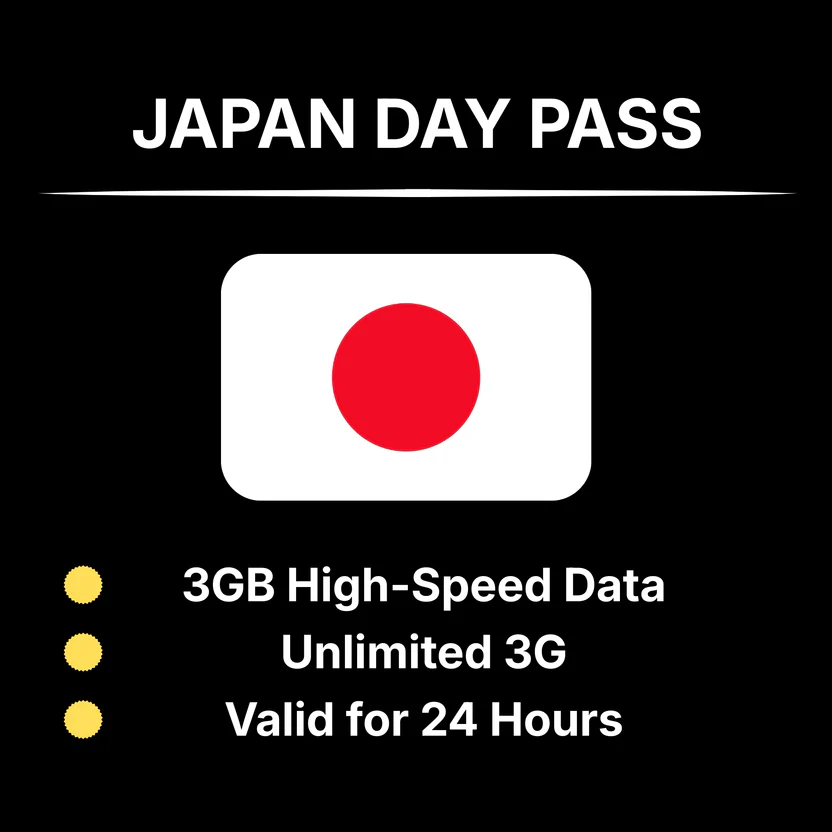
- Check whether LTE/4G is available — some countries still rely on slower 3G networks.
💡 Tip: Search for your provider’s coverage map online and cross-reference with your itinerary — especially if you’re visiting rural areas or multiple countries.
How to Set Up and Use a Mobile WiFi Hotspot Abroad
Option A: Renting a Pocket WiFi Device
This is the most popular option for tourists and occasional travelers.
- Book online before your trip (often cheaper than airport rentals).
- Pick up the device at the airport, your hotel, or have it mailed to you.
- Turn it on, find the WiFi name and password (usually on the device label), and connect your devices.
- Return it at the end of your trip via a pre-paid return envelope or drop-off point.
Option B: Buying a Prepaid Pocket WiFi or Local SIM
Ideal for longer trips or frequent travelers.
- Purchase a device or a travel data SIM online or at an electronics store in your destination.
- Insert the SIM, power on, and configure if needed (usually automatic).
- Top up data as needed via an app or at a local store.
Option C: Using Your Phone With a Travel eSIM
The most convenient option for newer smartphones (iPhone XS and later, most Android flagships).
- Purchase an eSIM data plan from a provider like Airalo, Holafly, or your carrier.
- Scan a QR code or install via an app — no physical SIM required.
- Activate the eSIM when you land and enable your hotspot to share the connection.
💡 Tip: Always test your connection before leaving the airport. It’s much easier to troubleshoot there than on a remote street.
How Much Data Do You Actually Need?
One of the most common questions from first-time hotspot users is: How much data should I buy? Here’s a practical breakdown:
| Activity | Data Used (Approx.) | Risk Level |
| Google Maps navigation | ~5 MB/hour | Very Low |
| Browsing websites / emails | ~20–50 MB/hour | Low |
| Social media (scrolling) | ~100–150 MB/hour | Medium |
| Video calls (FaceTime, Zoom) | ~500 MB/hour | High |
| Streaming music (Spotify) | ~150 MB/hour | Medium |
| Streaming video (Netflix HD) | ~1–3 GB/hour | Very High |
Rough Guide for a 1-Week Trip
- Light use (maps, messaging, email): 1–2 GB
- Moderate use (social media, occasional video calls): 3–5 GB
- Heavy use (streaming, remote work, video calls): 8–15 GB
💡 Tip: Turn off automatic app updates and background refresh on all connected devices. These can silently consume gigabytes of data overnight.
Pros and Cons of Using a Mobile WiFi Hotspot Abroad
| Pros | Cons |
| Works across multiple devices at once | Extra device to carry and charge |
| No SIM swapping — keep your home number active | Battery life (typically 8–12 hours) |
| Often cheaper than international roaming | Data limits and throttling after cap |
| Private and secure connection | Rental returns can be inconvenient |
| Consistent, reliable signal in most cities | Additional upfront cost (rental or purchase) |
| Easy to share with travel companions | Signal strength depends on local network |
Common Questions Beginners Ask
“Can I just use my home carrier’s roaming plan instead?”
Yes — and for very short trips (1–3 days), this can be the easiest option. However, most home carrier roaming rates are significantly more expensive than a travel WiFi solution. For trips longer than a few days, the savings from a pocket WiFi or eSIM are usually substantial.
“How many devices can connect at once?”
Most dedicated pocket WiFi devices support 5–10 simultaneous connections. This makes them great for families or small groups traveling together — everyone can connect their phones, tablets, and laptops.
“Will it work in every country I visit?”
It depends on the provider. Most global travel hotspot plans cover 100+ countries, but coverage varies by region and carrier quality. Always check the coverage map for your specific destination before purchasing or renting.
“Is a mobile WiFi hotspot secure?”
Yes — your personal hotspot is far more secure than public WiFi at airports, cafes, or hotels. It’s a private connection only accessible with your password. That said, always use a strong, unique password and avoid sharing the connection with strangers.
“What if I run out of data mid-trip?”
Most providers offer top-up options through their app or website. Some plans automatically throttle (slow down) your speed after the cap rather than cutting you off entirely. Always check the policy before purchasing so you know what to expect.
Tips for Getting the Most Out of Your Mobile WiFi Abroad
- Charge fully before leaving your accommodation each day — battery life is usually 8–12 hours.
- Turn off auto-updates and background app refresh on all connected devices.
- Download offline maps (Google Maps, Maps.me) before you travel as a backup.
- Keep the device in a ventilated spot — heat can reduce battery life and signal quality.
- Log in to hotel WiFi for heavy tasks like video streaming to preserve your data allowance.
- Connect only your own devices — avoid sharing your password with strangers.
- Have a backup plan: know where the nearest local SIM store is, just in case.
- Keep the device close to you — signal weakens through thick walls and bags.
Conclusion
A mobile WiFi hotspot is one of the smartest tools you can bring on an international trip. Whether you opt for a pocket WiFi rental, a local SIM, or a travel eSIM, the concept is simple: your device taps into a local cellular network and broadcasts a private WiFi signal that all your devices can use — just like being at home.
For most travelers, the sweet spot is either an eSIM (easiest, no extra hardware) or a dedicated pocket WiFi rental (best for groups or multi-device users). Either way, you’ll save money compared to your home carrier’s roaming rates, stay connected wherever you go, and avoid the security risks of public WiFi.